 Homelab Pulse
Your home server in your pocket
Homelab Pulse is an Android app that monitors and manages your home server through a tiny agent you install on it: live health, alerts before things break, and safe control from anywhere.
Everything your home server needs
Built for homelabs: Docker, systemd, backups and Cloudflare Tunnel, Arabic-first with English too.
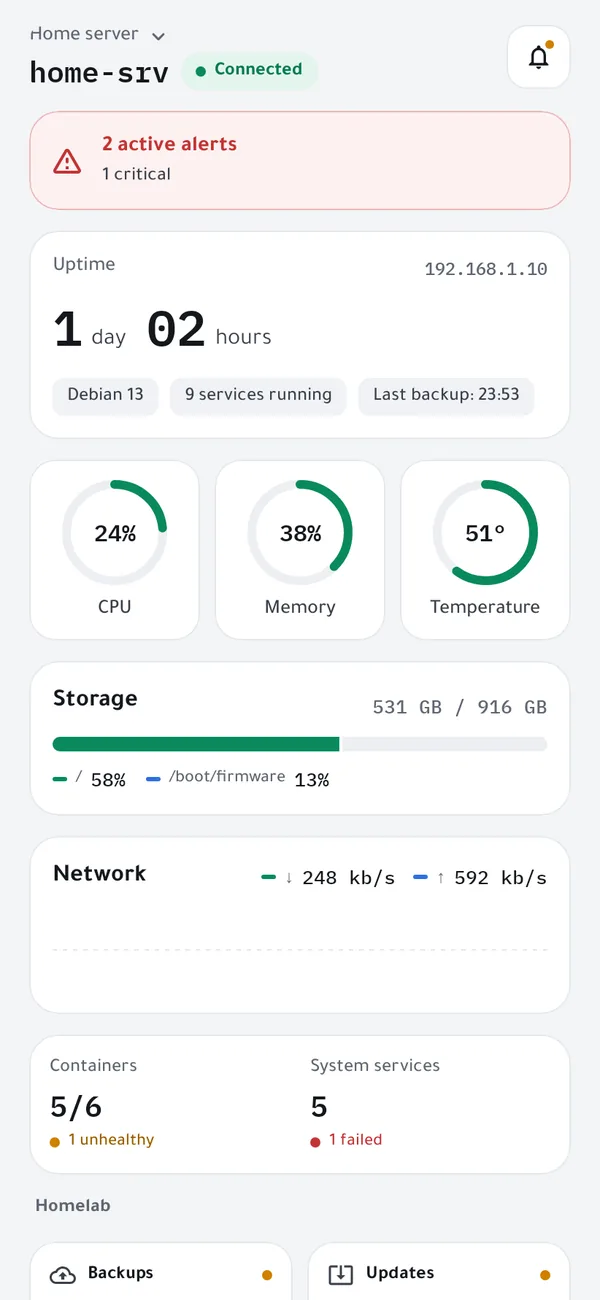
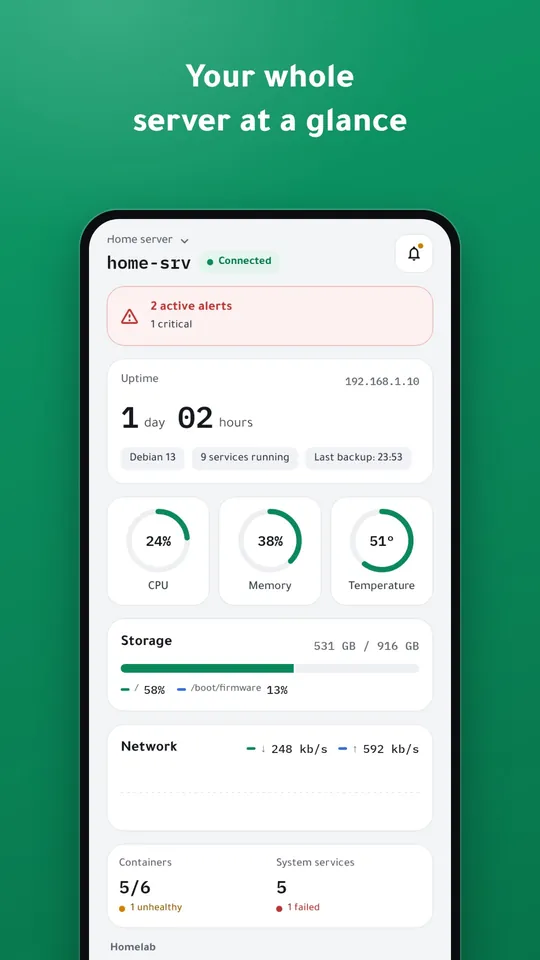
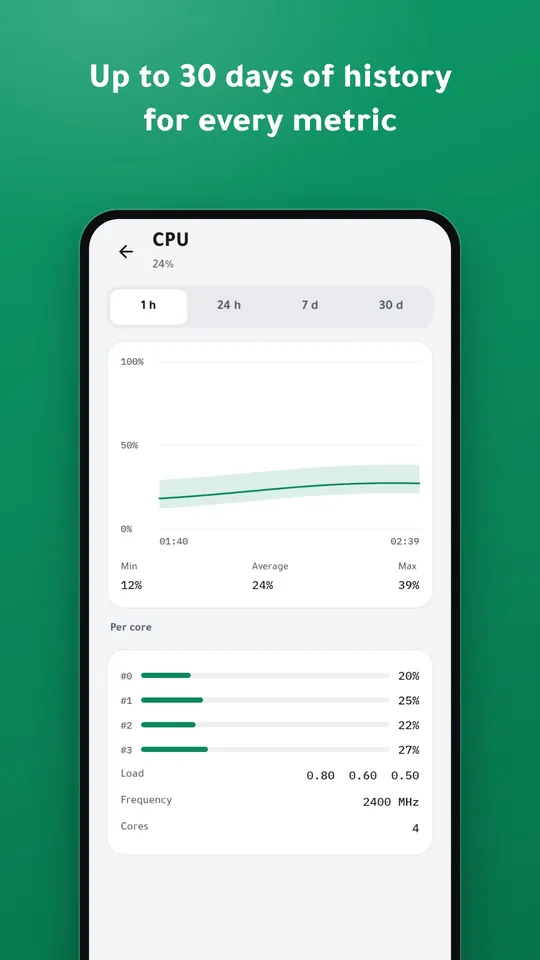
- Live dashboardCPU, memory, temperature, storage with disk health and network, with up to 30 days of history.
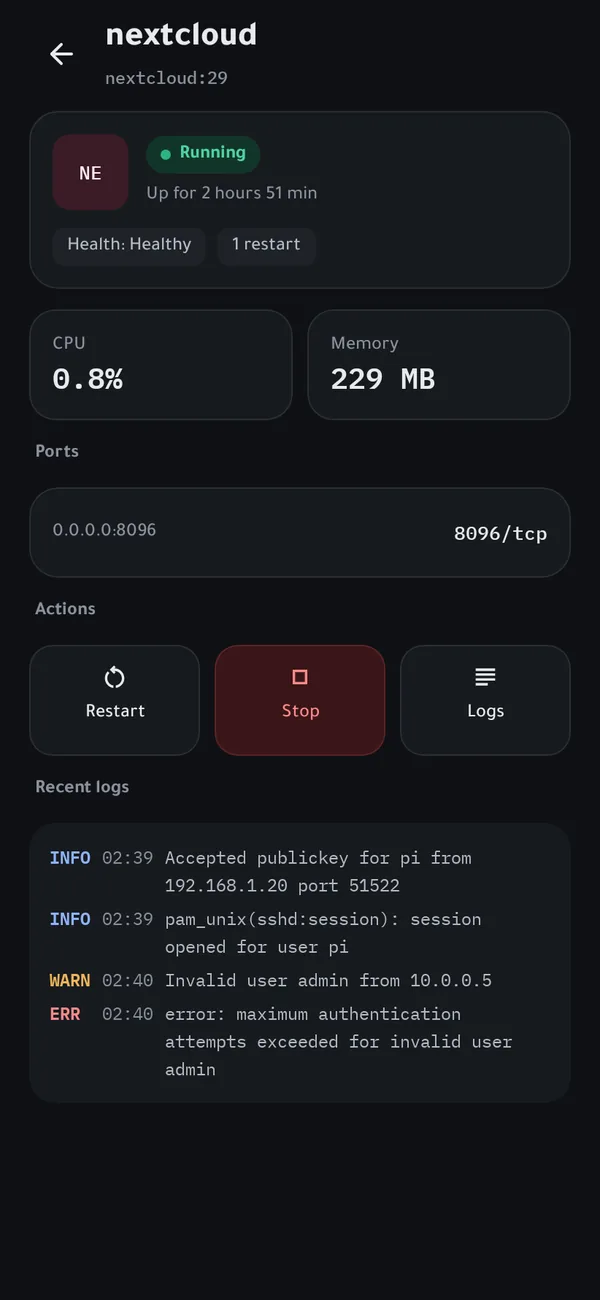
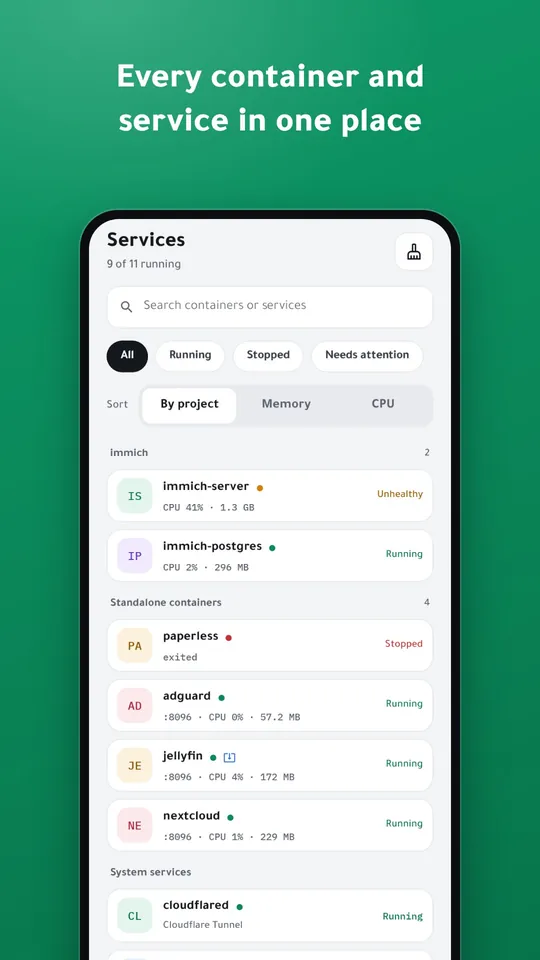
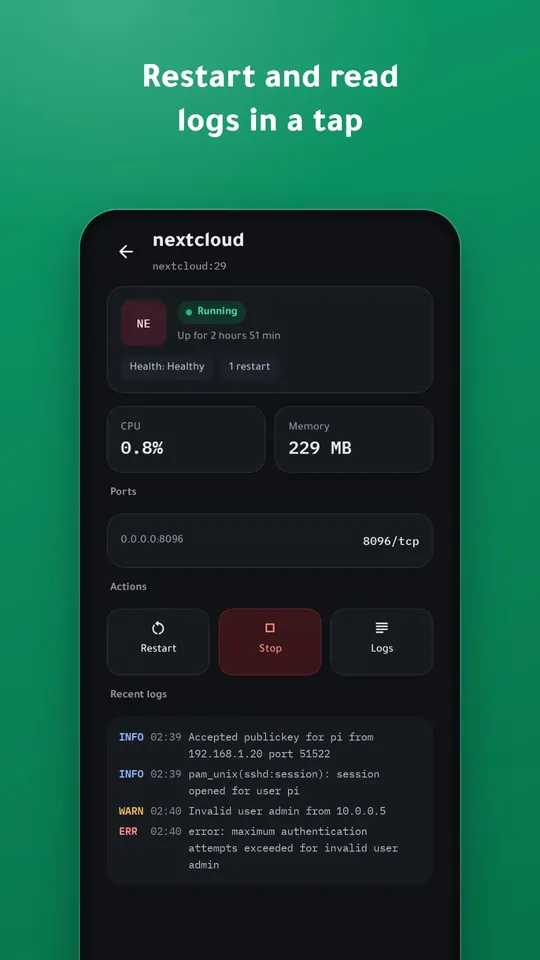
- Containers and servicesDocker and systemd status, health and resources; start, stop and restart in a tap.
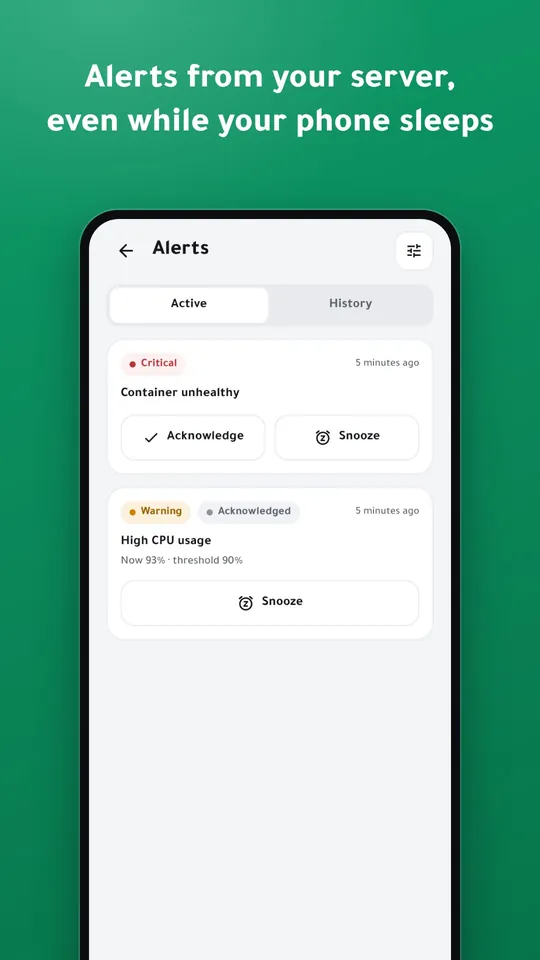
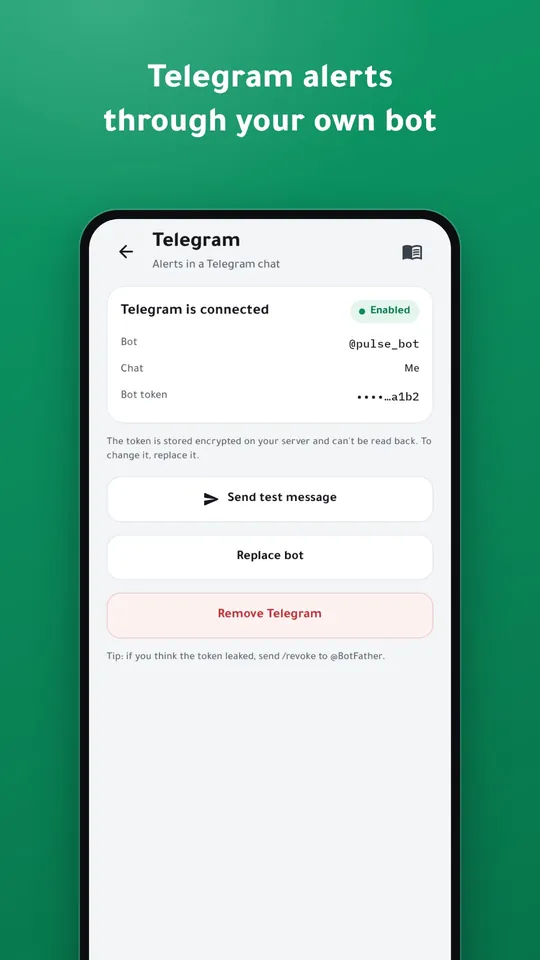
- Alerts from the server itselfRules the agent checks while your phone sleeps, sent end-to-end encrypted or through Telegram.
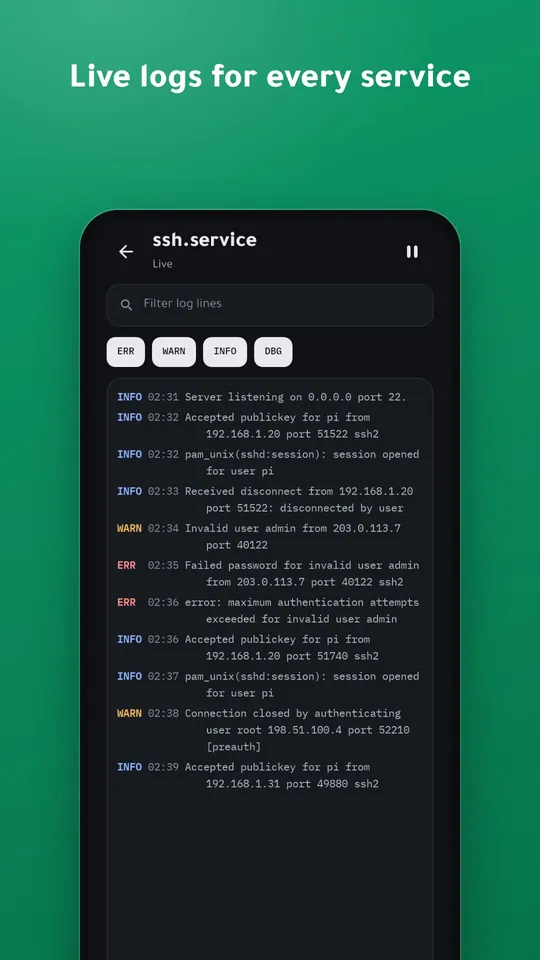
- Terminal and logsA full terminal with proper Arabic text, and live logs for every service.
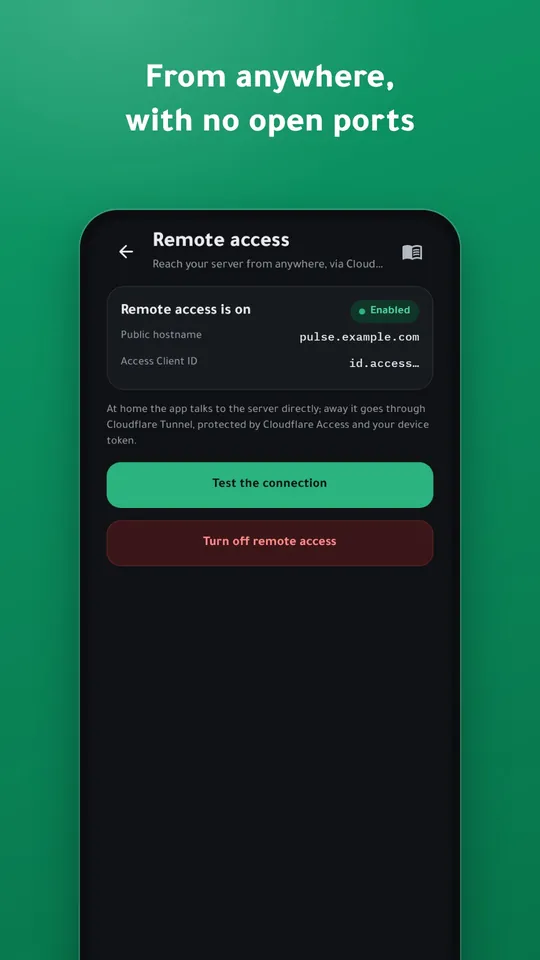
- From anywhereThrough Cloudflare Tunnel and Access with no open ports, switching between home and away by itself.
- Homelab-awareBackup freshness, updates, fail2ban and UFW, HTTP and TCP checks, and Uptime Kuma.
- For family and teamsSeveral servers, one-time invites with roles, instant revocation and an audit log.
- Private by designNo accounts, no ads, no tracking; your server's data stays between your phone and your server.
Up and running in three steps
A tiny agent on your server collects metrics, keeps history and sends alerts; the app shows everything and puts you in control.
- Install the agent
One command on Debian, Ubuntu or Raspberry Pi OS.
curl -fsSL https://github.com/Aldaghir/homelab-pulse/releases/latest/download/install.sh | sudo sh
- Scan the QR code
Your phone pairs with a pinned certificate and its own device token.
- Monitor and act from anywhere
Alerts on your phone or Telegram, and secure access through Cloudflare.
Screenshots
Your privacy and security first
- No accounts, no trackingNo sign-up, no ads, no analytics.
- Keys encrypted on your serverIntegration keys can't be read back and never appear in a log.
- Roles per deviceViewer, operator or admin, with instant revocation.
- Sensitive actions confirmedHold to confirm plus biometrics, and every change is logged.
Frequently asked questions
Which server systems are supported?
64-bit Debian, Ubuntu and Raspberry Pi OS (arm64 or amd64) with systemd. Docker support turns on by itself when Docker is there.
Do I need to open ports on my router?
No. At home the app talks to your server directly; away it goes through Cloudflare Tunnel, protected by Cloudflare Access.
Where is my server's data stored?
On your server. The app talks to the agent directly, and push alerts are end-to-end encrypted so nobody else can read them.
How much does the agent use?
On a Raspberry Pi 5: about 26 MB of memory and under 1% of the CPU on average.
Do alerts work without Google services?
Yes, through Telegram with your own bot; the server sends them directly, even to a phone without Google services.
Ready to try it?
Install the agent on your server and follow the step-by-step guide.
Installation guide